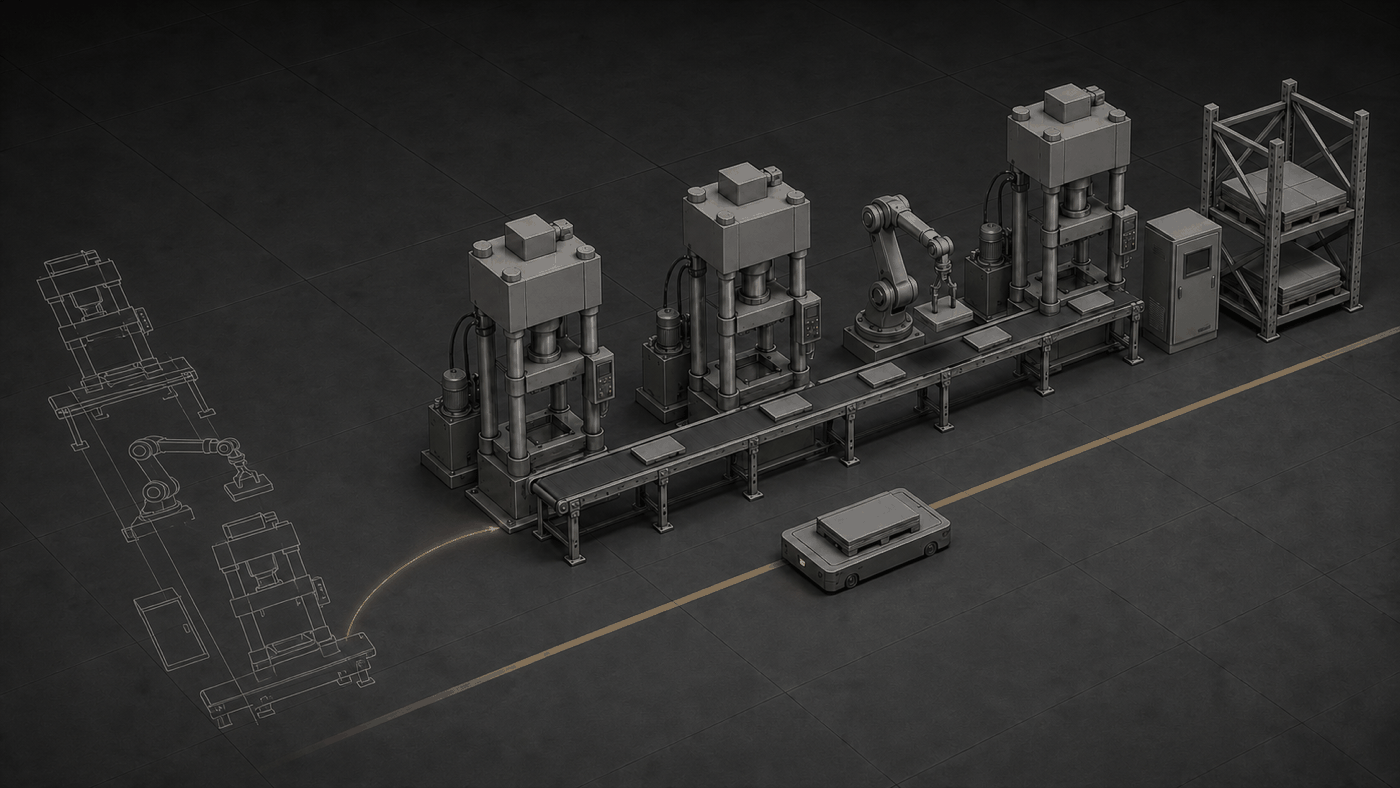
FIG — A drawing lying on the floor stands up as a solid modelNothing is redrawn
Once equipment design is done, the 3D data already exists. We convert that STEP/IGES without remodelling and feed it straight into the twin — which is why the build is fast.
Drawings sit in a cabinet, the equipment list in a spreadsheet. How it all meshes lives with whoever has been there longest — and leaves when they do.
| # | Capability | What it does |
|---|---|---|
| 01 | CAD auto-conversion — fast build | Finished STEP/IGES is converted to FBX automatically and used directly as twin input. Nothing is remodelled, so the build is fast. |
| 02 | Lightweight rendering | Four LOD levels and GPU instancing keep large plant models smooth in a browser. |
| 03 | Zero-install web 3D | Unity URP and WebGL. No software to install, no workstation required — one link. |
| 04 | AAS asset standardisation | No-code modelling and six-stage conversion in WACE-AAS Modeler standardise one equipment item in three days, in the IEC 63278 international format. |
| 05 | Equipment data binding | Specifications and history attach to twin objects — the shared base that Sim, Live and Act run on. |
If the design 3D data exists, we start from it rather than drawing again.