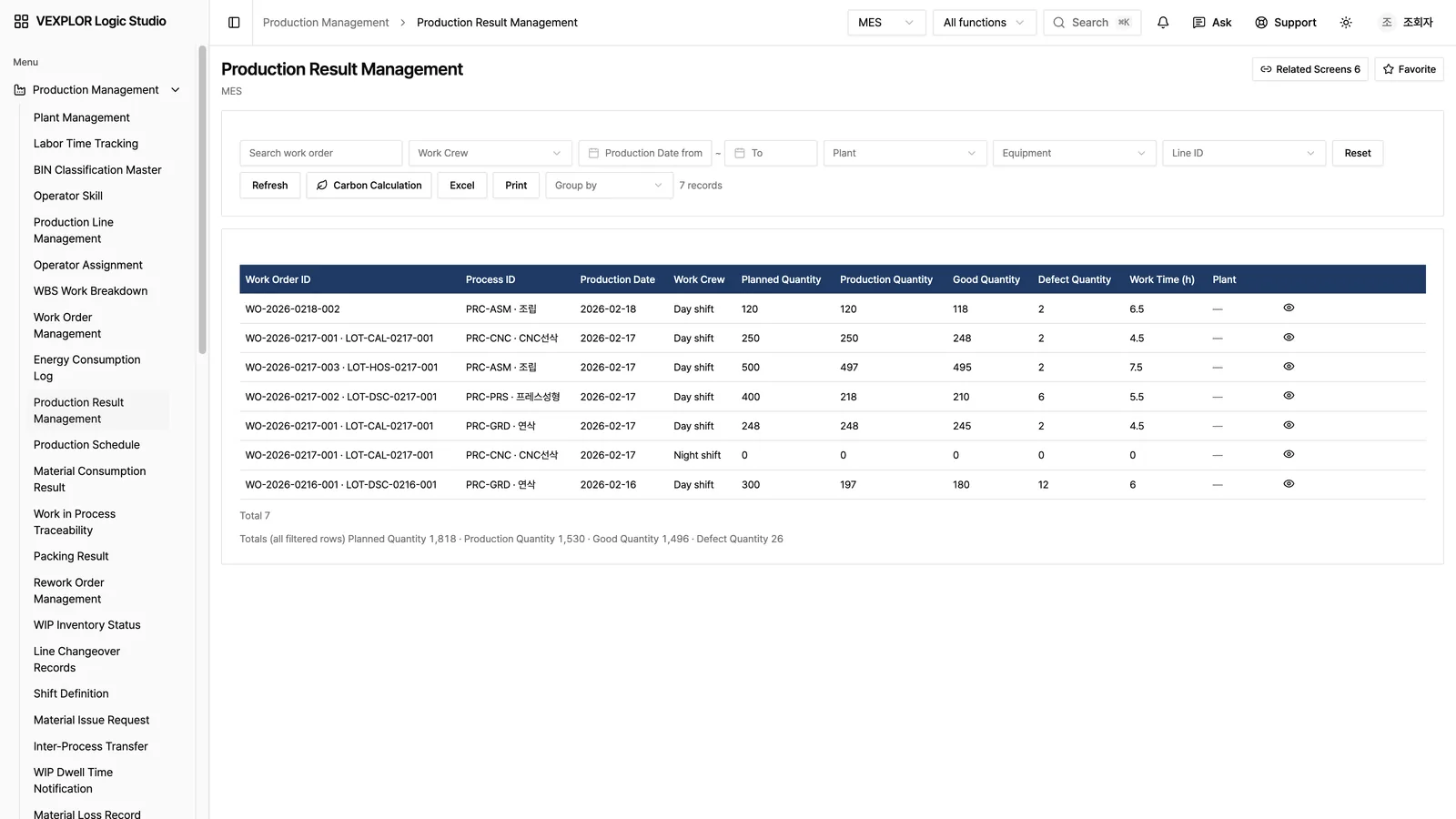
Twenty-one industry solutions like MES, PLM, ERP and QMS run on the same standard tables. WACE composes screens on a no-code kernel, and the definitions compile into data structures and screens automatically. Search answers from your own records and shows the records behind every answer.
Pick a solution to switch to its live screen
Build something new and development opens; finish it and maintenance stays. Every department has its own screens, code and masters, so the data never connects. A single screen change the floor asks for takes weeks.
Typical business software adds a database table, a server API and screen code by hand for every new function. In Logic Studio, WACE writes table and screen definitions, and the deployment step builds the database tables and screens from them. Every business screen reads and saves records through the same single server handler.
Why it matters now. Business data will be read and written not only by people but by AI. Where every screen carries its own checks, each new AI connection needs its permissions and records built again, and any one that is missed becomes a hole. In Logic Studio, when the AI connection reads records it goes through the same access checks, tenant separation and sensitive-field rules as people, and only the fields your administrators allow leave the system. Today the AI connection is read-only. We are preparing a flow in which AI proposes a change, a person approves it, it runs through the same handling as a person's request, and the record shows who approved which proposal.
| Area | Typical business software | VEXPLOR Logic Studio |
|---|---|---|
| Database | Developers design tables function by function | The deployment step builds tables from table definitions, and the database separates rows by tenant |
| Server | A separate API for each function | Every business screen reads and saves records through the same server handler |
| Access · masking | Added per function, so gaps appear easily | Access checks, tenant separation and masking of sensitive fields happen in that one handler |
| Business rules | Scattered through the code as conditionals | Written as rows in a rules table and executed in the same transaction as the save. People approve each rule before it goes in |
| Change history | Each screen records changes differently | When a record is created or edited on a business screen, who changed what and when is kept field by field |
| Search · AI | Data is copied out and attached later | Saving a business record updates the search index and knowledge graph in the same transaction |
| AI connection | Permissions and records are rebuilt for each AI hookup | The same access checks, tenant separation and sensitive-field rules as people; only fields your administrators allow go out |
Each question is matched against a knowledge graph and a text index of your records, and the two result lists are merged into one ranking. Every answer lists the records it came from; select one to open its original screen. Sensitive fields are masked.
Connect an external AI client that supports MCP (Model Context Protocol) and it can look up screens, records and the graph in Logic Studio, read-only. What it can see is limited to the account permissions of the person the token was issued to. MCP connection is an add-on module sold separately from the plans; contact us for pricing.
When a customer asks for product carbon data, there is no separate survey to run. Logic Studio calculates kgCO2e per unit from the production results and energy use you already record, and keeps the inputs and emission-factor version so the same value can be reproduced months later. Results are supporting data and do not replace third-party verification. Carbon calculation and supplier carbon data are add-on modules, separate from the ESG domain.
Many companies use the same service, but the separation between them is enforced by database rules, not by application code.
The features and the data model are the same. Where it runs, whether it connects to your existing systems, and how you pay are different.
| Item | VEXPLOR Logic Studio Cloud | VEXPLOR Logic Studio Enterprise |
|---|---|---|
| For | CLOUD Teams starting a new business system without running their own servers | ENTERPRISE Factories that keep it on their own servers and run it alongside the ERP and MES they use |
| Deployment | CLOUD A WACE cloud service on Microsoft Azure | ENTERPRISE Built on your servers (on-premises) |
| Existing systems | CLOUD Not connected — records are tied together inside Logic Studio solutions | ENTERPRISE Your ERP and MES stay in place and are connected — data is queried directly, not copied |
| Cost | CLOUD Monthly fee | ENTERPRISE Initial cost (build) + a fee for the contract term — quoted after the adoption diagnosis |
| Terms | CLOUD A service used for a monthly fee during the contract term. Thirty days before the contract ends, we notify you of the end date and time and how your data will be returned; before the end date, we return your data in a usable format, and then delete it from WACE servers so that it cannot be restored. | ENTERPRISE The software is used for a fee during the contract term. Even after the contract ends, you can export your data at any time. |
| Where to verify | CLOUD logicstudio.vexplor.com · Microsoft Marketplace | ENTERPRISE Request a diagnosis |
| Version · changelog | Latest published version 1.35.0 · what each version adds and fixes is in the changelog | |
Scale figures (21 solutions · 1,766 screens · 1,539 standard tables) are from the Cloud (Azure) build; the build cases are Enterprise (on-premises) results.
Nothing has to be replaced on day one. Request a Cloud trial workspace and we set up a space for your company, load a sample of your data and review the screens and search results with you. You can also look at the screens first in the read-only demo, without signing in.
20+ floors across industries have been built with Enterprise (on-premises).